
ThingsBoard 本地编译常见问题
正文与配图来自原稿。本地改代码 / 二开编译时经常踩的坑与处理办法。
环境总表见 专栏导读;完整跟做可对照 Windows上源码编译安装ThingsBoard。
1、license 问题
如果增加了新文件,却没有把其它文件头部的 license 拷到自定义文件里,编译会报 license 检查失败,例如:
Failed to execute goal com.mycila:license-maven-plugin:3.0:check (default) on project cache:
Some files do not have the expected license header
解决办法一:补上 license 头
在新增文件头部增加默认 license,例如:
/**
 * Copyright © 2016-2023 The Thingsboard Authors
 *
 * Licensed under the Apache License, Version 2.0 (the "License");
 * you may not use this file except in compliance with the License.
 * You may obtain a copy of the License at
 *
 *     http://www.apache.org/licenses/LICENSE-2.0
 *
 * Unless required by applicable law or agreed to in writing, software
 * distributed under the License is distributed on an "AS IS" BASIS,
 * WITHOUT WARRANTIES OR CONDITIONS OF ANY KIND, either express or implied.
 * See the License for the specific language governing permissions and
 * limitations under the License.
 */
(年份区间以你仓库现有源码文件头部为准,保持一致即可。)
解决办法二:注释掉 license 检查
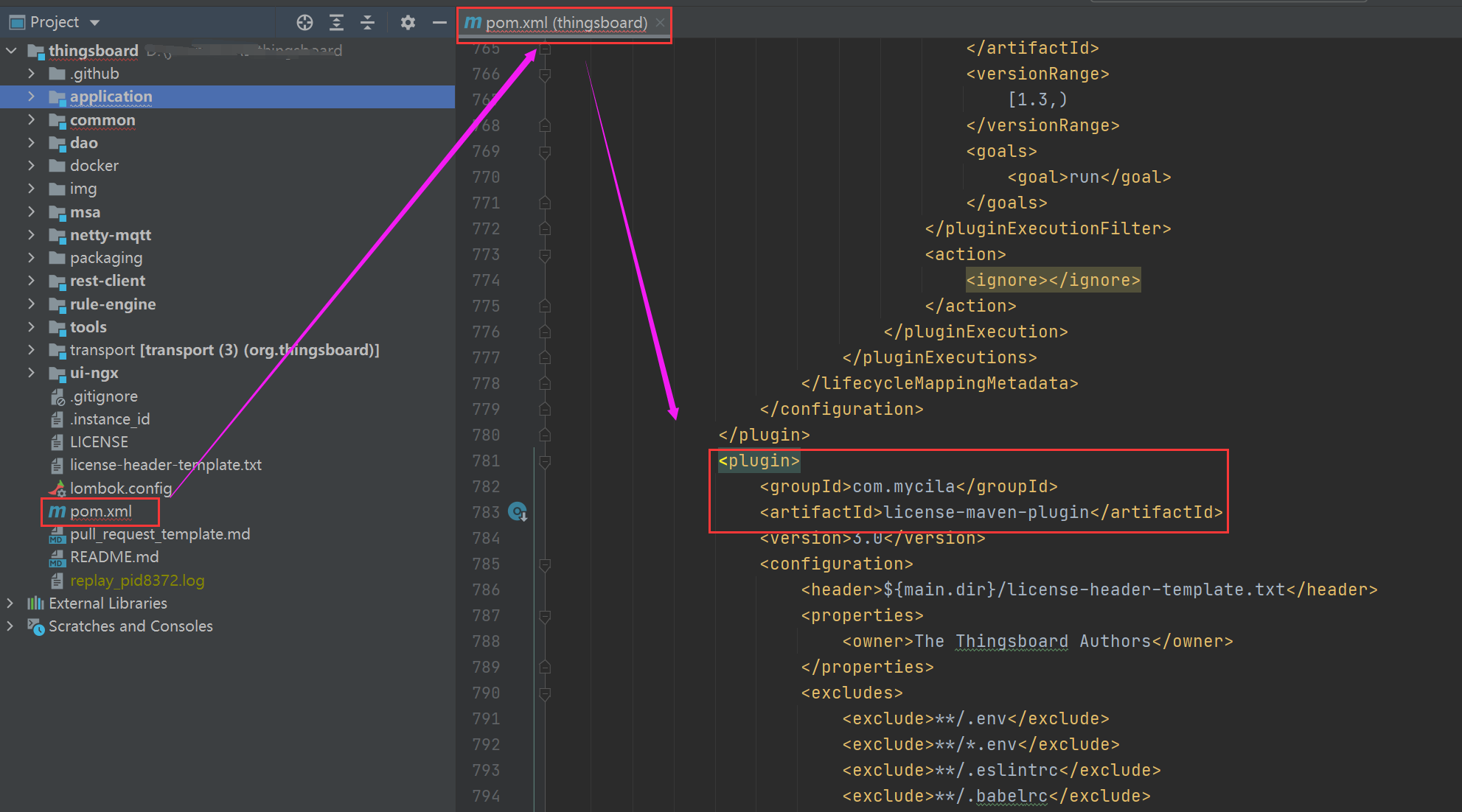
在主工程的 pom.xml 中,把整段 license-maven-plugin 的 <plugin>…</plugin> 注释掉即可:
2、启动类时报「命令过长」
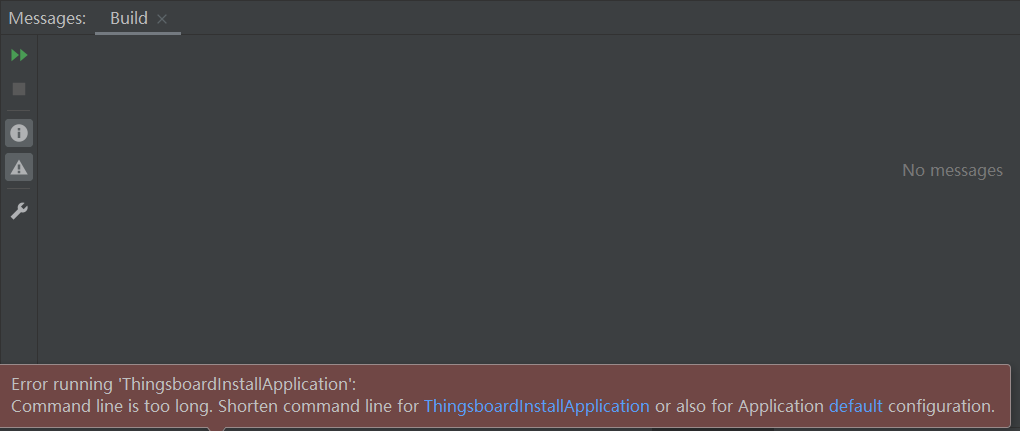
报错信息如图:
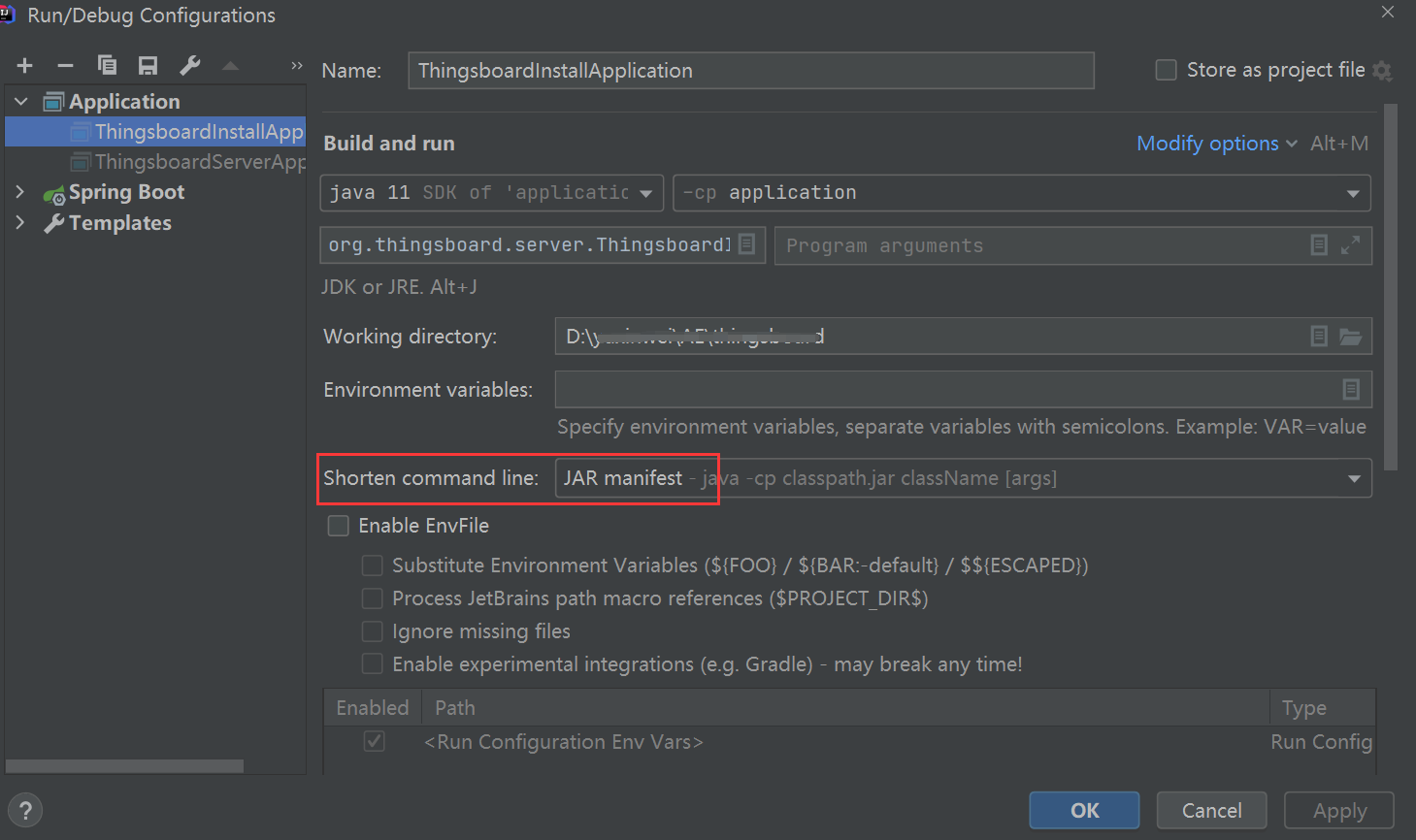
解决办法(IDEA 缩短 classpath / 使用 classpath 文件等方式):
3、本地电脑用户名是中文
帮人装 TB 时,需要安装本地 PostgreSQL。下载安装包执行后直接弹出如下错误:
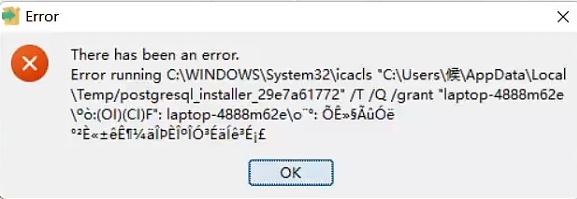
基本可以认定是 Windows 用户名为中文 引起的。
解决办法: 新建一个 Windows 用户(设为管理员),不要继续用原来的中文用户名账户安装。
4、Maven 与 IDEA 冲突
有人用 Maven 3.9.0 + IDEA 2021:ThingsBoard 已能命令行编译,但 IDEA 里始终下不了包。排查后发现是 IDEA 2021 不支持 Maven 3.9.0。
解决办法: 改用 Maven 3.6.3,重新配环境变量,并在 IDEA 里指向该 Maven,即可正常拉包。
5、ThingsBoard 编译不过要注意什么
很多同学觉得编译很难,其实注意版本对齐即可。原稿经验要点:
- JDK 版本要匹配所编分支(见下方「补充」)
- 安装 Maven 3.6.3,不要盲目用太新的版本(常与旧 IDEA 不兼容)。归档下载:https://archive.apache.org/dist/maven/maven-3/
- 需要 Node(也不要过新)
- 需要 npm
- 需要 yarn
6、Maven 镜像仓库(推荐配置)
很多人找的镜像不全。可参考如下 settings.xml 镜像配置:
<!-- 阿里云仓库 -->
<mirror>
  <id>alimaven</id>
  <name>aliyun maven</name>
  <url>http://maven.aliyun.com/nexus/content/repositories/central/</url>
  <mirrorOf>central</mirrorOf>
</mirror>
<!-- 中央仓库1 -->
<mirror>
  <id>repo1</id>
  <mirrorOf>central</mirrorOf>
  <name>Human Readable Name for this Mirror.</name>
  <url>http://repo1.maven.org/maven2/</url>
</mirror>
7、阿里云上编译报 yarn 错误
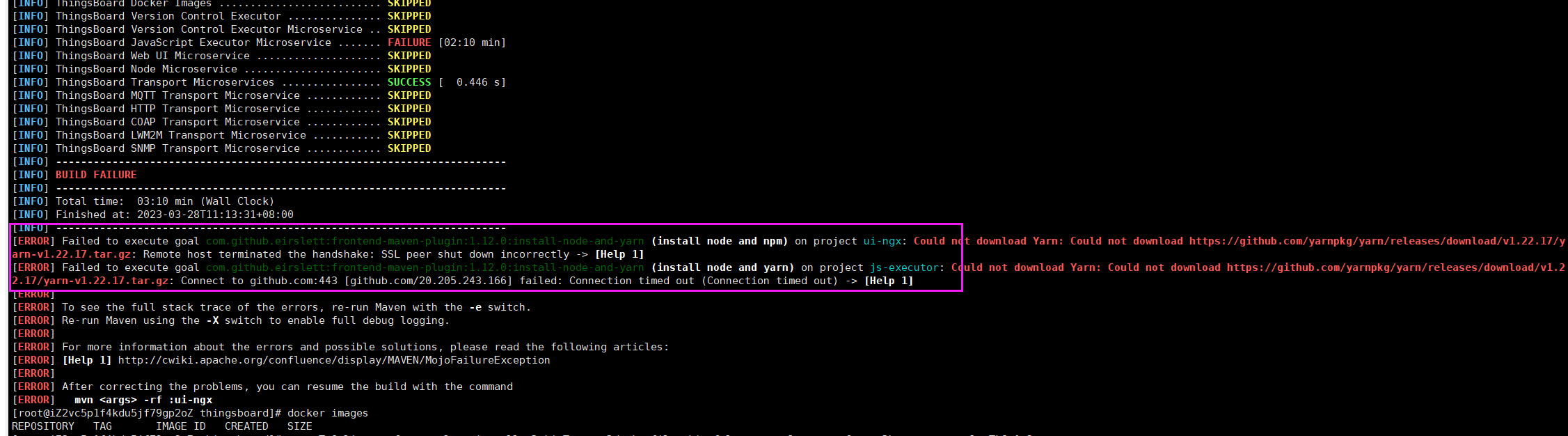
可参考:
https://stackoverflow.com/questions/50328668/maven-java-build-ssl-peer-shut-down-incorrectly
在编译命令后增加:
-Dhttps.protocols=TLSv1.2完整编译命令示例:
mvn -T 8 license:format clean install -DskipTests -Ddockerfile.skip=false -Dhttps.protocols=TLSv1.2补充(辅)
- JDK:原稿写「需要 11」偏旧分支;本专栏 4.2.x / 4.3.x 源码编译常用 JDK 17,4.4.x 为 JDK 25。以你检出的分支与 专栏导读 版本表为准。
- 新增文件除手写 license 头外,也可用工程里的
license:format(如上完整命令)批量补齐。 - 注释掉 license 插件仅适合本地临时绕过;对外贡献或长期维护建议保留检查并补齐头部。
- Maven 镜像若公司要求 HTTPS,请把 URL 换成当前可用的阿里云 / 中央仓库 HTTPS 地址。